
ABOUT MONEYPAK
MoneyPak is a easy and secure way for friends and family members to deposit money to prepaid and bank debit cards. Just purchase a MoneyPak at a store near you and visit official-moneypak.com to reload a prepaid card. Send cash to anyone's debit card or friends and family can send you cash when you need it. Pick up a MoneyPak at a participating retailer and add $20 to $500 for $5.95, then go to official-moneypak.com to complete the transaction.
How it works
What is a MoneyPak?
MoneyPak is a convenient way for friends and family to send money to thousands of eligible debit cards issued in the U.S.
Just purchase a MoneyPak at a participating store near you and create a secure login at official-moneypak.com to add money to a card. You can send $20-$500 for a flat fee of $5.95. MoneyPaks only work with activated prepaid or bank debit cards. Prepaid cards must be embossed with the cardholder’s name.
Having trouble using a MoneyPak? See our Troubleshooting Tips for help.
Run through these steps to troubleshoot the most common problems:
- Double check that you entered the MoneyPak and card account numbers correctly.
- Verify that the card being used has been activated. If you are not sure that your card is activated, check with the bank that issued your card.
- If loading funds to a prepaid card, make sure the card is personalized with the cardholder’s name.
- Make sure the deposit limits for MoneyPak have not been exceeded.
- Check that the load or deposit limits for your debit card have not been exceeded. To do this, check with the bank that issued your card.
- If you were prompted to upload a photo ID, check that you received confirmation that your photo ID was accepted. If you’ve been prompted to upload photo ID, but haven’t done it yet, you can find more information on the process here.
- If you scratched off any of the numbers on the back of the MoneyPak, complete our help form and we will do our best to assist you with your issue.
- Was the MoneyPak purchased and funded? Confirm that you have a receipt. If you have a receipt and still can’t load the MoneyPak, complete our help form and we will do our best to assist you with your issue.
- If you received an error message and aren’t sure what to do, read through our “Common Error Messages” section for extra help.
Ways to use MoneyPak
Send money:
Send up to $500 in cash to any eligible debit card for a flat fee of $5.95. MoneyPaks are available at over 50,000 participating stores nationwide — many open 24 hours, 7 days a week.
Receive money:
When you need someone to send you money, ask them to buy a MoneyPak and give you the MoneyPak number. Once you have the number, log in to official-moneypak.com and deposit the funds to your eligible debit card.
Reload your own card:
Need to reload but left your debit card at home? You can still pick up a MoneyPak and load money to your eligible debit card using your secure login at official-moneypak.com.
Fund online accounts:
A MoneyPak can also be used to fund select online accounts, such as TVG and TwinSpires. To add funds, log in to the online account and follow the instructions in the account’s “Add Money” section.
Benefits of using MoneyPak
- Send up to $500 for a flat fee of $5.95
- No paperwork required at the store
- Money arrives in minutes, not days
- Available at over 60,000 retail locations, many open 24 hours a day, 7 days a week
How does MoneyPak work?
A MoneyPak only works with eligible, activated debit cards. Prepaid cards must be embossed with the cardholder’s name.
- Buy a MoneyPak:
You can find MoneyPaks at thousands of stores nationwide, usually on the prepaid or gift card display. Pick one up for a flat fee of $5.95 and load up to $500. - Create a secure login:
The first time you use a MoneyPak, you will need to go to official-moneypak.com to create a secure login. Enter the MoneyPak number from the back of the package on the first screen. To create a secure login, you will be asked to provide some personal information, including your Social Security Number and date of birth, and also to verify your mobile phone number by following the prompts. More info on creating a secure login - Deposit money to a card:
Enter the number of the debit card where you would like to deposit the funds from the MoneyPak. The entire amount of your MoneyPak will be deposited to that card. - Deposit money again:
Once you have created a secure login on official-moneypak.com, you will only need to log in with your username and password the next time you use a MoneyPak. You can deposit funds to multiple cards using the same secure login, but each MoneyPak may only be used to deposit funds to one eligible card.
Requirements for Use
What are the requirements to use MoneyPak?
MoneyPak secure login:
The first time you use a MoneyPak, you’ll need to provide some personal information, including your Social Security Number and date of birth, so we can verify your identity.
Mobile verification:
For added security, you must also follow our instructions to verify your mobile device, which will require you to authorize us to send you text messages.
Eligible account:
You’ll need a prepaid or bank debit card that can accept funds from a MoneyPak. Most prepaid cards and bank debit cards accept MoneyPak loads.
MoneyPak only works with activated prepaid or bank debit cards. Prepaid cards must be embossed with the cardholder’s name. Select online accounts, such as TVG and TwinSpires, also accept MoneyPak loads.
Other requirements:
You must have: the ability to use the Internet to access official-moneypak.com, a mobile phone capable of receiving and sending text messages, and a valid email address. You must also allow us to collect location information from your mobile device.
All users must be 18 years old and a citizen or legal alien residing in the United States or Puerto
Can a MoneyPak be used to reload a temporary prepaid card without a name embossed on it?
MoneyPak cannot be used to reload temporary prepaid cards, which are prepaid cards that have not been registered with the card provider (or where registration was attempted, but the prepaid card provider was unable to verify the cardholder’s identity). Temporary prepaid cards do not have the cardholder’s name embossed on the front of the card.
If you have a new prepaid card without your name on it, you must register it with your prepaid card provider in order to reload your prepaid card with a MoneyPak. Once you get the personalized prepaid card in the mail (usually within two weeks) and activate it, your personalized prepaid card will then be ready to accept MoneyPak reloads as long as the card is issued by a participating prepaid card provider.
Q&A
How Can I Contact a Green Dot MoneyPak Customer Service Number to a Live Person?
If you need to speak to a live person at Green Dot MoneyPak customer service, dial 1 (888) 971-7004 or 1 (586) 277-1372. Follow the prompts to get in touch with a Green Dot MoneyPak customer service representative who can help you with various matters related to Green Dot MoneyPak, such as adding funds, checking balances, resolving account issue and online purchases.
Can I Contact MoneyPak by Phone?
You can reach out to MoneyPak customer support by dialing 1 (888) 971-7004 or 1 (586) 277-1372. Their dedicated team is available 7 days a week 24 hours a day. Contact them during these hours to speak with a live representative who can assist you with any questions or concerns regarding MoneyPak services.
Can I Contact Green Dot MoneyPak Customer Service via Chat?
Green Dot MoneyPak offers the convenience of contacting customer service through a chat feature on their website. By visiting the Green Dot MoneyPak website and navigating to the "Contact Us" or "Chat With Us" section, you can access the chat option. Available 7 days a week from 5 am to 9 pm PST, MoneyPak live chat allows you to engage in real-time conversation with a representative who can assist you with your inquiries or concerns.
Where to by MoneyPak?
Buy a MoneyPak at thousands of retailers nationwide, including 7-Eleven, CVS, Dollar General, Rite Aid, Walgreens, and many more. After purchase, scratch off the secure MoneyPak number on the back of the package to get started.

How to use MoneyPak?
- Buy a MoneyPak from a participating retailer, such as 7-Eleven, CVS, Dollar General, Rite Aid, or Walgreens.
- Scratch off the MoneyPak number on the back of the package.
- Deposit MoneyPak to your card without registration at official-moneypak.com.
- Follow the instructions to add your debit card and make your deposit.
- To send MoneyPak, provide the MoneyPak pin to the recipient.
MoneyPaks are cards sold by Green Dot Corp. that can move cash from a retail counter onto an eligible prepaid debit card. They can also work with some bank accounts.
- Be at least 18 years old
- Be a citizen or a legal alien residing in the U.S. or Puerto Rico
- Have a working email address
- Consent to receive text messages
- Share location information from your mobile device
How to reload card with MoneyPak?
- Buy a MoneyPak at a participating store
- Add your debit card
- Follow the instructions to make your deposit
- Using a debit card to purchase a MoneyPak
- Calling customer service at 1-586-277-1372
- Selecting the "reload with MoneyPak" option
- Entering the PIN on the MoneyPak card
MoneyPaks can add cash to any eligible debit card. They are accepted by most Visa, Mastercard, and Discover debit cards, as well as over 200 prepaid debit cards. Prepaid cards must be embossed with the cardholder's name.
How to add MoneyPak to PayPal?
According to MoneyPak's help center, MoneyPak can now be used to add money to a PayPal account.
- Go to your Wallet in the PayPal app
- Select Add Cash
- Select the store you're in
- Get a barcode
- Show the barcode to the cashier at checkout

How to add MoneyPak to Cash App?
- Enter the secure MoneyPak number (PIN) from the package
- Select "Add Funds to Account"
- Choose "Cash App" as the destination
You can also add funds to a MoneyPak online by following the instructions in the account's “Add Money” section.
Go to MoneyPak website. Funds Transfer: Select "Add Funds to Account."Choose "Cash App" as the destination. Enter your Cash App account details and the transfer amount.
How to refund MoneyPak?
- Go to official-moneypak.com
- Fill out the MoneyPak refund request form
- Select Continue
- Send the form to MoneyPak customer service
- Check your email for a confirmation email
- MoneyPak number
- Identification information, such as a government-issued photo ID
- Receipt for the MoneyPak
Refund checks usually arrive in the mail 7–14 days after submitting a refund request. The purchase fee for MoneyPaks is not refundable.
How to fix the "We’ve detected suspicious activity on this moneypak deposit attempt" error?
You can fix the "We’ve detected suspicious activity on this moneypak deposit attempt" detection error at official-moneypak.com by following the steps below.
1. Simply have your MoneyPak ready, then visit official-moneypak.com
2. At the top of the page, hover over "login", and a drop down menu will appear. Click on the, "Guest Deposit" option.
3. Enter your MoneyPak number, located on the back of the package.
4. Next, enter your debit card where you would like to deposit your MoneyPak funds.
5. Now click "Deposit" and your funds will be available instantly once the deposit is complete.


If your MoneyPak has not been used, you can submit a refund request by providing the information below. Refund checks typically arrive in the mail 1-2 weeks after your refund request is submitted. The MoneyPak purchase fee will not be refunded.
If you have any questions or concerns, please contact MoneyPak customer service using the information listed below.
MoneyPak Customer Service
Phone Number: 1 (888) 971-7004
Website: official-moneypak.com
How to fix the "You have exceeded the number of card deposit retrieval attempts allowed" MoneyPak limit?
You can fix the "You have exceeded the number of card deposit retrieval attempts allowed" MoneyPak deposit limit by following the steps below.
1. Simply have your MoneyPak ready, then visit official-moneypak.com
2. At the top of the page, hover over "login", and a drop down menu will appear. Click on the, "Guest Deposit" option.
3. Enter your MoneyPak number, located on the back of the package.
4. Next, enter your debit card where you would like to deposit your MoneyPak funds.
5. Now click "Deposit" and your funds will be transferred instantly once the deposit is complete.

How it works
 Buy a MoneyPak at thousands of retailers nationwide
 1st time users will enter a secure MoneyPak number
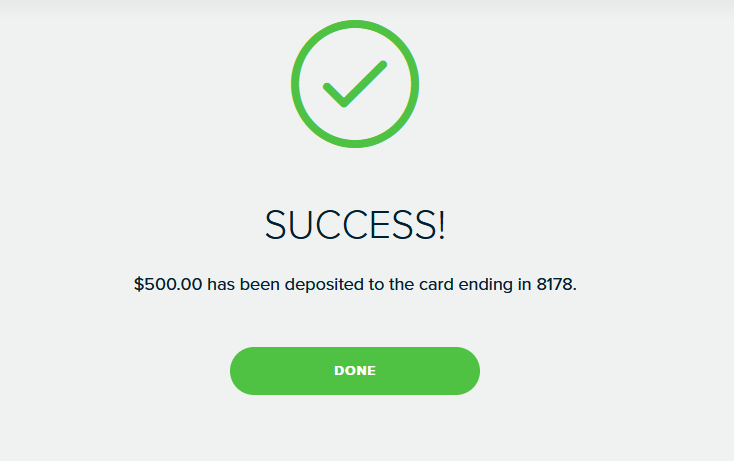
 Cash will be deposited to your card